Copy it into every diagram, and somewhere it will differ.
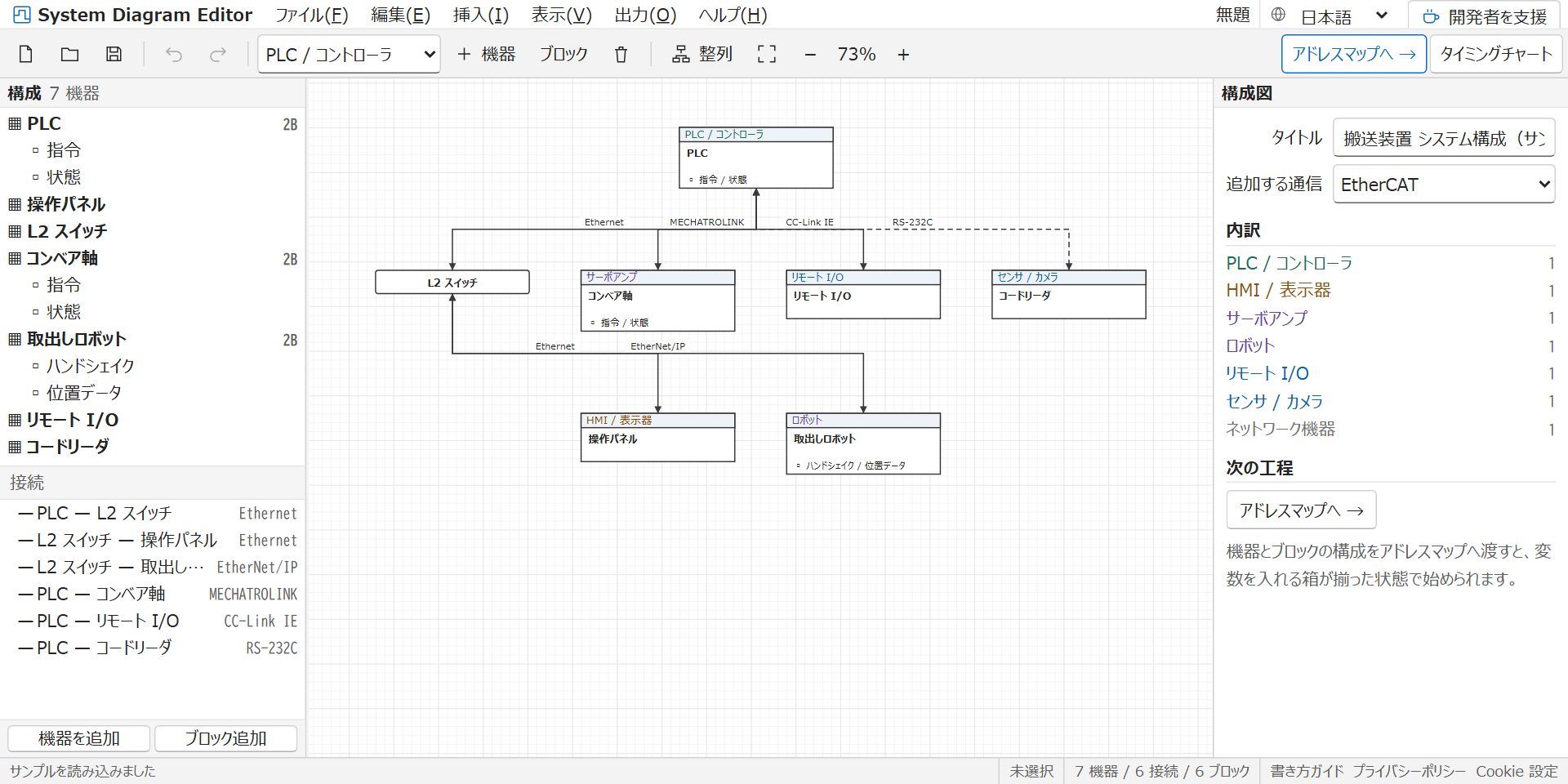
Place the devices, and partitions appear.
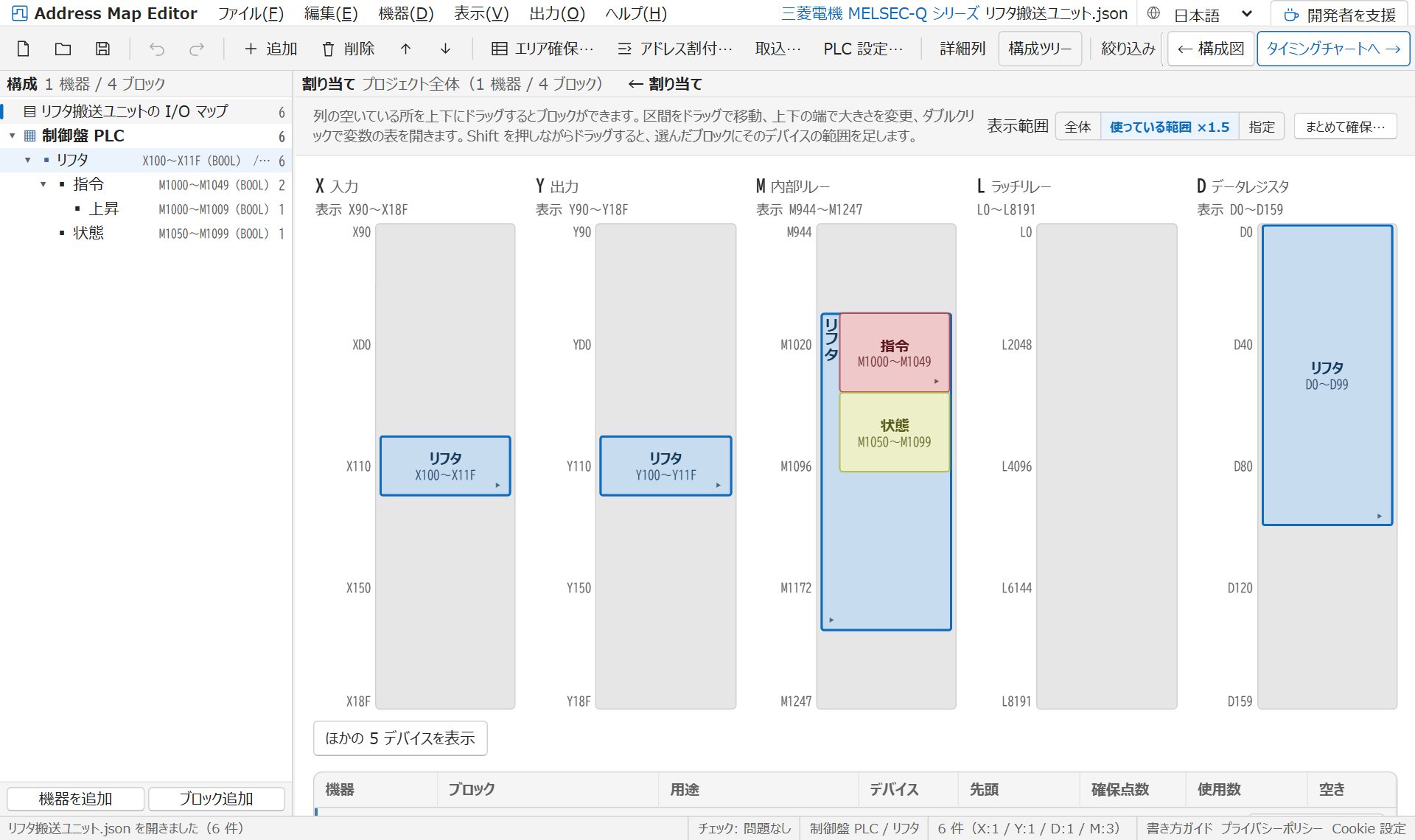
The partitions fill with addresses and variables.
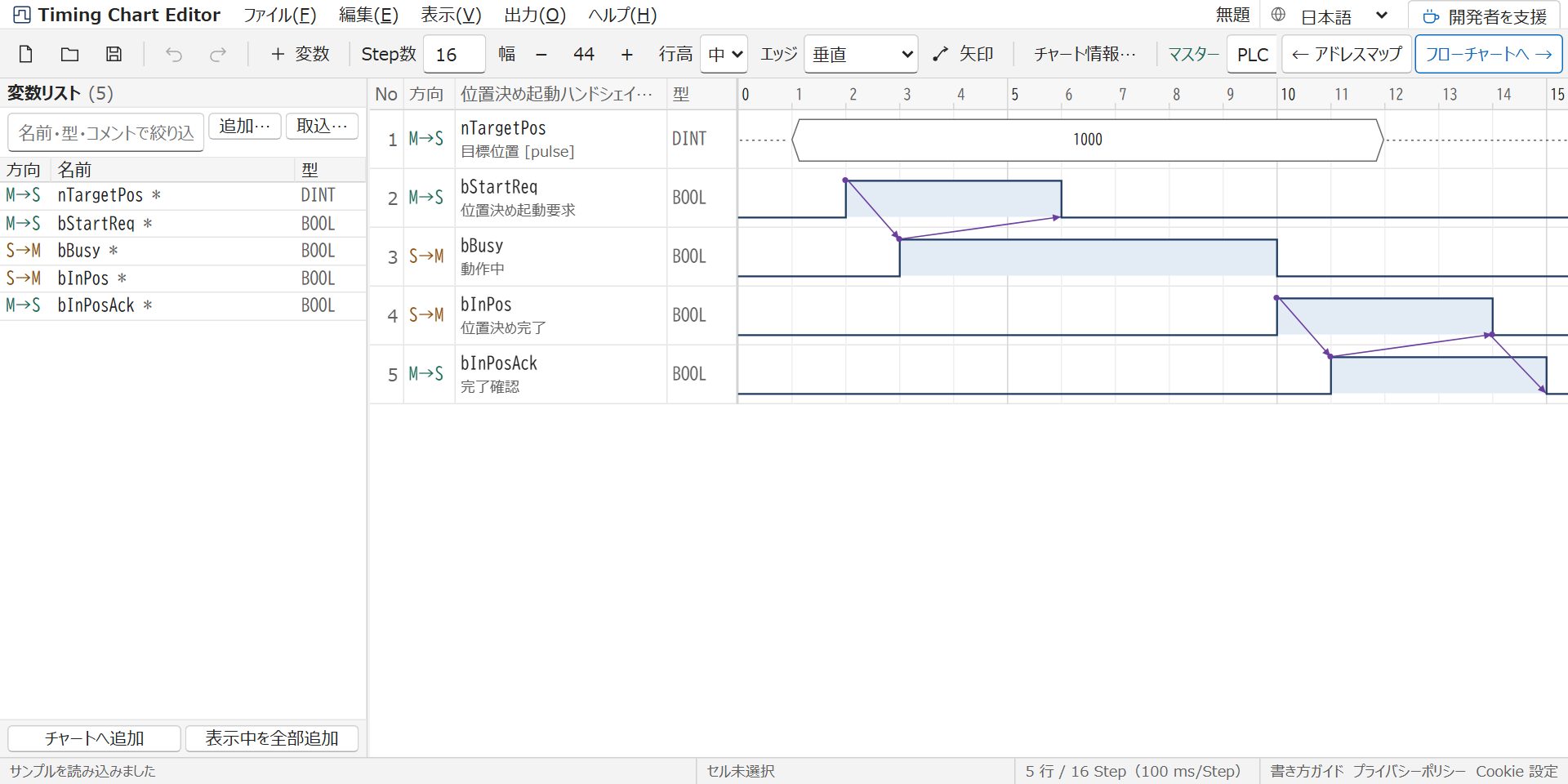
Variables become waveform rows.
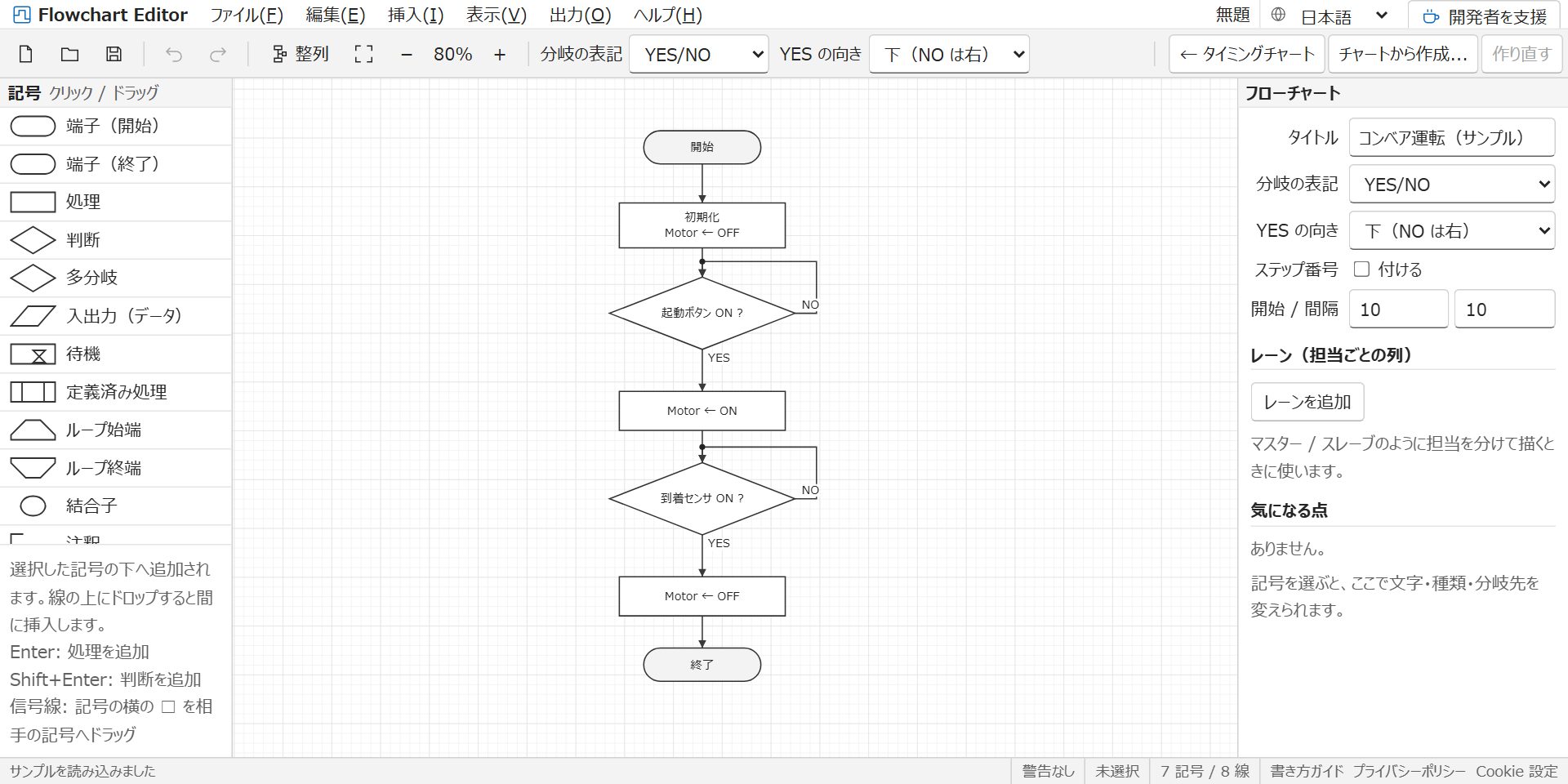
Arrows become the control flow.
Copying by hand: zero.
Four diagrams, connected — so you never copy by hand.
Draw a timing chartOther editors
No sign-up, no installation. It runs right here in the browser you are using.
Continue where you left off
Place the devices, and partitions appear.
The partitions fill with addresses and variables.
Variables become waveform rows.
Arrows become the control flow.
Copying by hand: zero.
The tools are free to use. Running costs are covered by advertising and by voluntary support. Support does not come with any reward or return.
Your diagrams are saved automatically in the browser. Ctrl+S also saves a JSON file; hand that file to someone and they can open the same diagram.
Figures for your specification — export as SVG (a figure you can paste into Word or PowerPoint and still edit), PNG, Draw.io, Markdown (with a Mermaid diagram) or Mermaid (the diagram alone).
Round trips with PLC software — the memory map imports device comments and tables from GX Works, KV STUDIO, Sysmac Studio and others, and exports tables ready to paste back, plus C structs and IEC 61131-3 global variables.
JSON data format specification — the format all four editors read and write. Give it to an AI to generate data or to check what you drew
Draw the devices and the networks between them; the result becomes the container structure of the memory map.
Assign addresses to variables while watching the device limits of your PLC, then paste the result into your PLC software.
Draw how the signals move in time and what causes what, then turn it into a specification and a flowchart.
Build the control flow from the timing chart and export it as a drawing for your specification.
It runs in current versions of Chrome, Edge, Firefox and Safari. It opens on a smartphone too, but drawing is best done on a PC.
Everything runs inside your browser. What you type is never sent to a server — the contact form is the only exception.
This site is developed and run by one individual. Contact details and how costs are covered are set out on the Operator information page.
The first time you open it, an example is already there, so you can start by editing it.
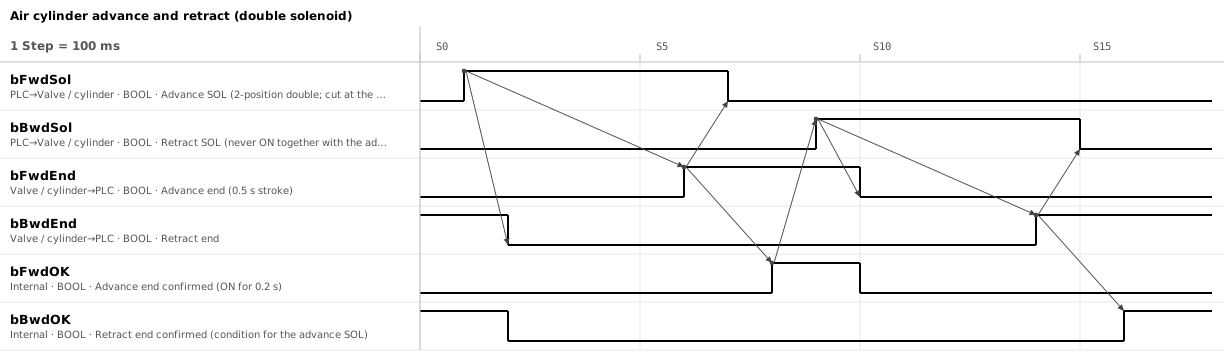 Air cylinder timing chart (sample)
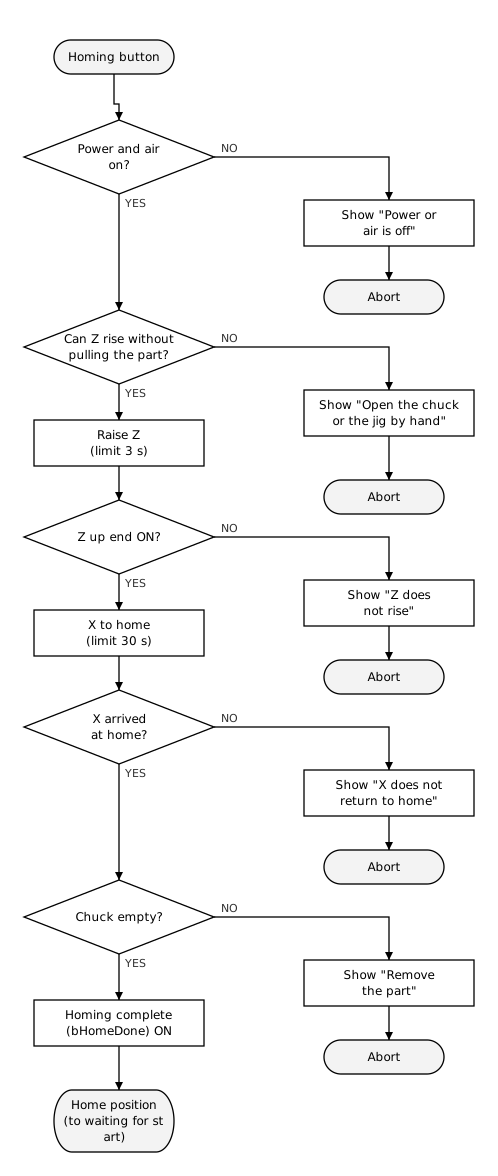 Homing flowchart (sample)
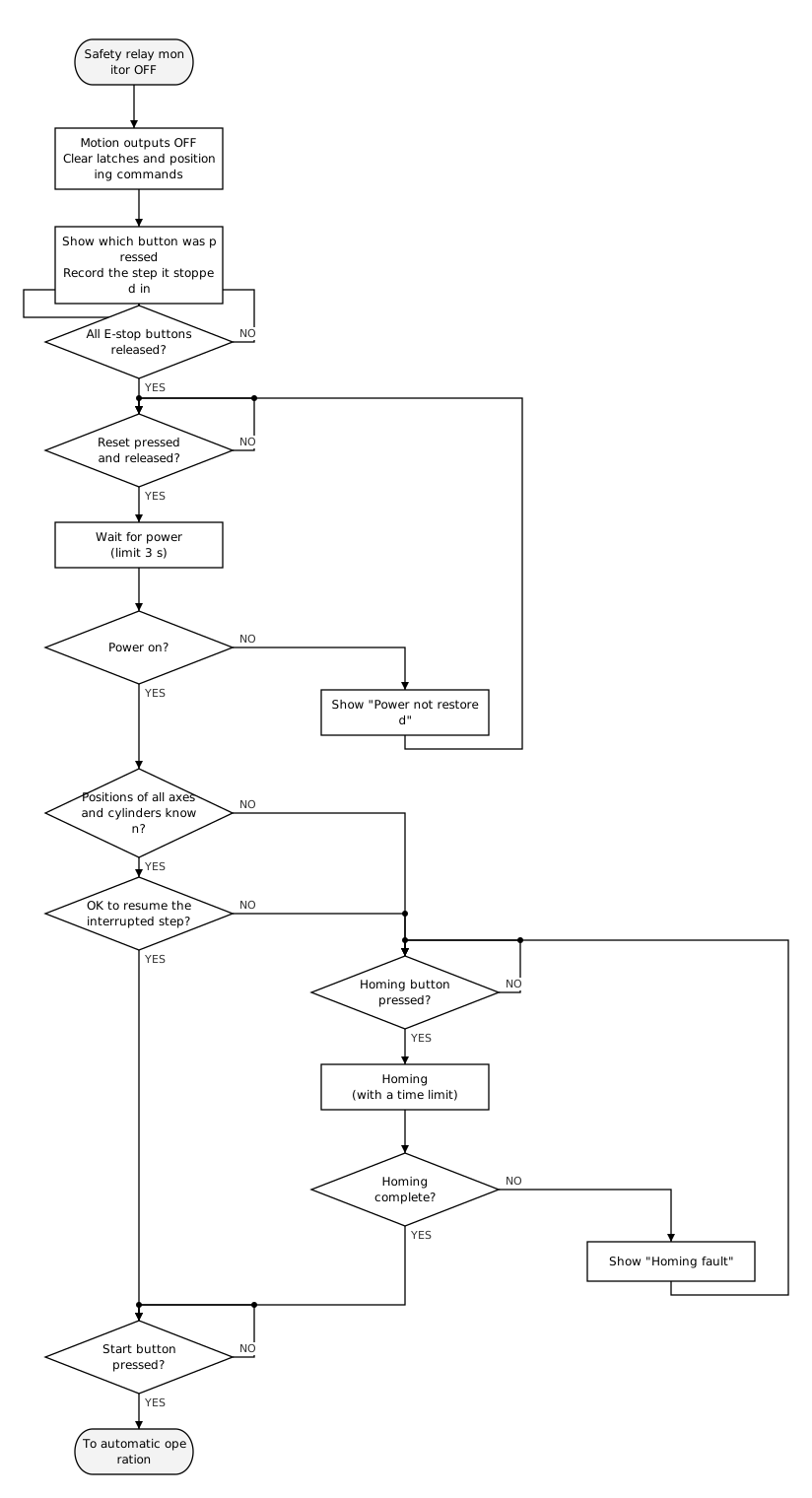 Emergency stop recovery flowchart (sample)